Luna: Ultra Zoom Camera 100x
Luckyman Game StudioPhotography
3.723.00 Reviews
- Version
- 1.0.9
- Installs
- 500.00K
- Age Rating
- Everyone
Screenshots
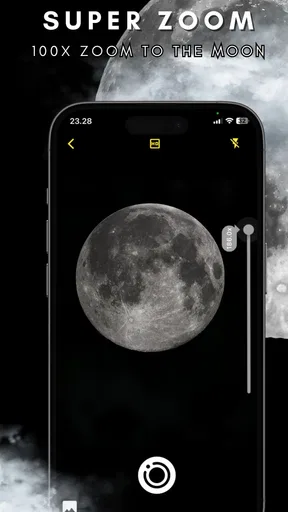
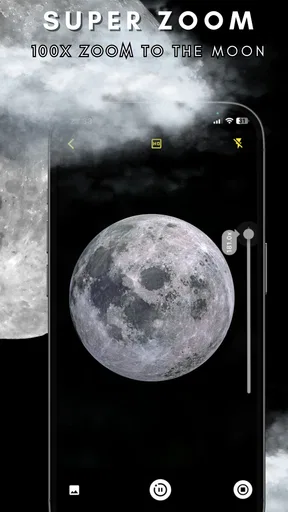
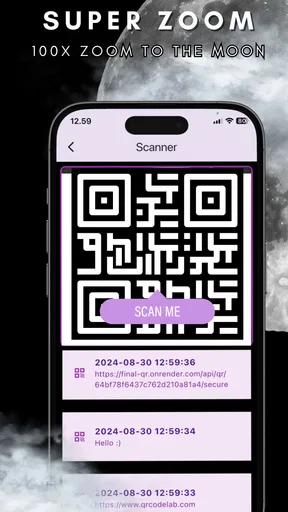
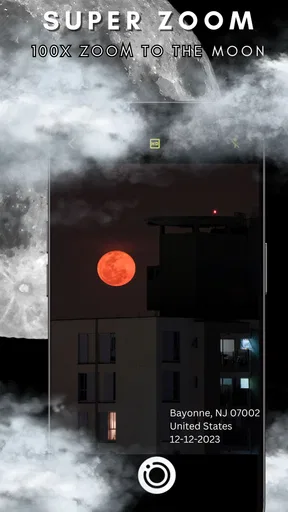
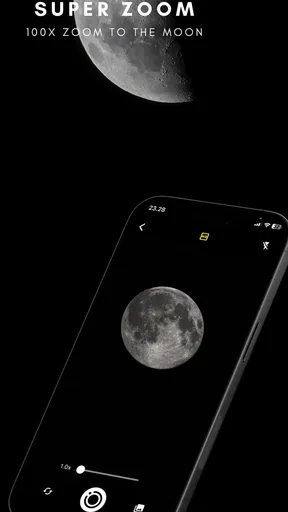
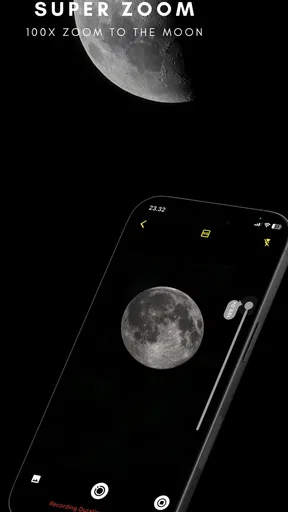
Our Review of Luna: Ultra Zoom Camera 100x
 Analysis by Appyee
I approached Luna: Ultra Zoom Camera 100x as a photography app rather than a replacement for a dedicated camera. Its promise is easy to understand: put a more dramatic zoom experience on a phone and make distant subjects feel closer. That idea has immediate appeal, especially when you are outside, watching an event, or trying to frame something that is too far away for the standard camera view.
After spending time with it, my opinion is more measured. Luna is interesting during the first few sessions because the zoom concept invites experimentation, but its lasting value depends on how often you genuinely need that perspective. It is free to start, rated for Everyone, and developed by Luckyman Game Studio. Those details make it approachable for casual users, yet the app is best judged by the quality of the results and the effort required to get them, not by the headline number attached to its zoom identity.
What the first week feels like
The strongest part of the experience is the sense of discovery. A normal phone camera encourages familiar habits: point, tap, shoot, and move on. A high-zoom camera app changes that rhythm. You start looking for distant details, testing how much of the frame can be filled, and comparing the result with the phone’s regular camera. That makes Luna enjoyable during the first week, particularly for people who like trying unusual camera tools.
I can imagine using it on a walk when a bird lands on a far branch, at a sports field when the action is across the pitch, or while travelling and wanting to isolate a sign or architectural detail. In those situations, the app gives me a reason to pause and compose instead of taking another ordinary wide shot. The experience is less about replacing the default camera and more about adding a different way to look at a scene.
The “100x” identity should be treated as an invitation to experiment, not a guarantee that every extreme zoom image will look professional. Digital magnification enlarges what the phone sees; it does not magically create detail that the lens and sensor never captured. At moderate levels, the result may be useful depending on lighting and the phone itself. At extreme levels, framing becomes more difficult and softness, noise, or visible processing can become much more noticeable.
That distinction is important because the app’s photography category may attract users expecting a serious long-range camera. I would set expectations lower and judge each image by its purpose. If I only need to identify a distant object or capture a rough visual record, Luna can be practical. If I need a crisp image suitable for printing, cropping, or sharing as a polished photograph, the phone’s optical camera hardware or a dedicated telephoto lens is usually the safer choice.
How I would use it on an ordinary day
My most realistic everyday scenario would be a family outing. Imagine standing near the back of a school performance or outdoor event. The standard camera produces a wide scene with the people I care about appearing small. Luna can help me try a tighter composition, but I would keep both the normal camera and the zoom app available. The regular camera would handle dependable memories, while Luna would be the experimental option for distant moments.
I would also use a stable surface whenever possible. At high magnification, a small hand movement becomes a large shift in the frame. Leaning against a wall, resting the phone on a railing, or using a compact support can make more difference than repeatedly increasing the zoom. This is one of the less obvious trade-offs: the app may offer the reach, but the user has to supply the stability.
Another useful habit is to capture several versions rather than trusting the first frame. Distant subjects move, hands shake, and autofocus can be less forgiving when the image is heavily enlarged. A short burst of attempts gives me a better chance of finding one usable image, although it also creates more files to review later. That extra selection step is part of the real workflow and can reduce the convenience of the app.
Where it sits beside the usual camera
The built-in camera remains the better default for speed, familiar controls, and dependable everyday photos. It is already integrated with the gallery and usually handles quick snapshots with less friction. Luna becomes more appealing when the specific goal is to explore magnification or to see whether a distant subject can be framed more closely.
It also occupies a different position from a phone with a genuine telephoto lens. Hardware zoom generally has an advantage in detail and consistency because it gathers information through a lens designed for that range. Luna can still be useful on a phone without that hardware, but I would not confuse software reach with optical reach. For serious wildlife photography, detailed event coverage, or images where fine texture matters, a phone with a telephoto camera is the stronger investment.
Compared with a basic camera app downloaded for manual controls, Luna’s appeal is narrower. I would choose a manual photography tool when I want deliberate exposure, focus, or color control. I would choose Luna when the main question is simply, “Can I bring this distant subject closer?” That focused purpose is easy to understand, but it also means the app may not become part of every photo session.
What remains useful after the novelty
The first-week excitement will naturally fade. Once I have tested the most dramatic zoom settings, the question becomes whether the app solves a recurring problem. For me, that depends on my surroundings and my phone. Someone who regularly attends outdoor events, observes distant scenery, or enjoys experimenting with unusual compositions may keep finding reasons to open it. Someone who mostly photographs food, friends, pets indoors, and nearby objects may return to the standard camera almost every time.
The app has reached over 500 thousand installs, which suggests that the idea has attracted a meaningful audience. Its average rating is 3.7 from around 7.5 thousand ratings, a result I read as mixed rather than alarming. It indicates curiosity and usefulness for some people, but also a reason to keep expectations realistic. A zoom-focused app can be appealing without being a universal camera solution.
One long-term strength is accessibility. Luna is free, works on Android versions starting with 7.0, and is suitable from an age-rating perspective for Everyone. That makes it easy to test without committing to a purchase first. The current version is 1.0.9, so I would still treat the experience as something to reassess after updates rather than assuming the first session tells the whole story.
The commercial model deserves attention before making the app part of a regular workflow. The app includes in-app purchases ranging from about $9.49 to $17.99 per item. Since the basic download is free, I would spend time checking what is available without paying and whether any paid option genuinely improves my use case. For occasional zoom experiments, paying may not make sense. For someone who uses the app repeatedly and finds the extra value clear, the calculation is different.
Three habits that improve the results
First, I would begin with a lower zoom level and increase it gradually. Jumping straight to the most extreme setting makes it harder to tell whether the subject is actually sharp or merely large on screen. Starting closer to the phone’s comfortable range helps me find a balance between framing and detail, and it makes the final image easier to judge.
Second, I would compose with an identifiable reference around the subject whenever possible. A tree trunk, window frame, railing, or building edge gives the image context and helps me keep the scene steady. An isolated distant object can be difficult to track, especially when the preview shifts with every hand movement. This simple framing trick makes the app feel less like a novelty and more like a usable field tool.
Third, I would review images at their actual size before sharing them. A preview can look impressive because the subject fills the screen, while the saved image may reveal softness or digital artifacts. Checking the photo in the gallery helps me decide whether it is worth sending, keeping as a reference, or deleting. That extra check is particularly important for users who expect professional-looking results from the app’s presentation.
Who gets recurring value from it
Luna is a reasonable fit for curious photographers who want to test long-distance framing without buying extra equipment. It may also suit travellers who occasionally need to inspect faraway details, parents at outdoor activities, and users whose phones lack a dedicated telephoto camera. The free entry point makes experimentation easy, and the app can add variety to a familiar phone.
I would be more cautious recommending it to someone who wants a complete photography system. It is not the first app I would choose for editing, controlled studio work, reliable low-light photography, or carefully managed manual exposure. It is also not the right answer for anyone who believes an extreme zoom label automatically means sharp, professional images. In those cases, the default camera, a manual camera app, or better hardware will usually provide a more dependable path.
Another group that may lose interest quickly is the casual user who rarely photographs distant subjects. The app can be fun to install and test, but novelty alone does not justify keeping another camera tool on a phone. If I open it only to demonstrate the zoom to friends and then forget it exists, it has not earned permanent space in my routine.
Maintenance, fatigue, and the lasting verdict
The maintenance burden is not complicated, but it is easy to underestimate. A zoom app creates more images that need sorting, more failed attempts caused by movement, and more temptation to save every test shot. If I use Luna regularly, I would make a habit of reviewing the gallery soon afterward and deleting near-duplicates. Otherwise, the app’s practical cost becomes clutter rather than money.
I would also keep the app updated through the normal store process and revisit its controls after an update instead of assuming everything behaves exactly as before. Photography tools can become frustrating when a familiar workflow changes, so consistency matters. Because Luna is from Luckyman Game Studio and remains on version 1.0.9, I would pay attention to whether future releases improve reliability and reduce the effort involved in getting a usable frame.
The main source of fatigue is the gap between dramatic magnification and photographic usefulness. Increasing the view can feel exciting, but the subject may become harder to hold steady and less convincing when inspected closely. Repeatedly chasing distant subjects can turn into a cycle of zooming, reframing, capturing, and deleting. That process is acceptable when the moment matters; it is tiring when the result is only a blurry enlargement.
There is also a decision fatigue issue. If I have the standard camera, Luna, and perhaps an editing app available, I may spend more time choosing a tool than taking the picture. The solution is to give Luna a specific job: use it when distance is the problem, and return to the regular camera for everything else. That boundary keeps the app useful without allowing it to complicate ordinary photography.
My final view is that Luna earns a place as a specialist experiment, not as my permanent default camera. It is free to try, easy to understand, and genuinely entertaining during the first week. Its long-term value is strongest for people who repeatedly encounter distant subjects and are willing to stabilize the phone, check results carefully, and manage the extra files. For everyone else, the built-in camera will probably remain more convenient.
I would recommend installing it if you want to explore software zoom photography and understand its limits firsthand. I would skip the purchase options until the free experience proves that the workflow fits your habits. The app does not need to replace your normal camera to be worthwhile, but it does need to offer more than a one-time novelty. In my experience, it can do that for the right user—provided you value the act of experimenting as much as the final photograph.
Verdict
Strengths of Luna: Ultra Zoom Camera 100x
- Up to 100x zoom offers impressive reach for distant subjects.
- Simple controls make zoom adjustments quick for casual users.
- Useful stabilization helps reduce shake at moderate zoom levels.
- Supports capturing photos without requiring advanced camera knowledge.
- A practical option for testing extreme zoom on compatible devices.
Limitations of Luna: Ultra Zoom Camera 100x
- Image quality drops noticeably at the highest zoom levels.
- Results depend heavily on your phone’s camera hardware.
- Digital zoom can produce soft details and visible artifacts.
- Low-light performance may be disappointing at extreme magnification.
- Some features may require in-app purchases or display advertisements.
Similar Picks in This Category
View All
Google Photos
Google LLC4.4

Gallery
Google LLC4.2

Picsart AI Photo Editor, Video
PicsArt, Inc.3.9

B612 AI Photo&Video Editor
SNOW Corporation4.1

BeautyPlus-Selfie Photo Editor
PIXOCIAL TECHNOLOGY (SINGAPORE) PTE. LTD.4.5

Remini - AI Photo Enhancer
Bending Spoons4.1
Frequently Asked Questions
What is Luna: Ultra Zoom Camera 100x, and how does it work?
Luna: Ultra Zoom Camera 100x is a camera app designed to provide extreme digital zoom and additional controls for photographing distant subjects. It uses your device’s camera hardware together with software processing to enlarge the image. The actual results depend heavily on your phone’s lens, sensor, lighting, and stabilization, so the advertised 100x zoom should not be interpreted as optical zoom on every device.
Does Luna really provide 100x optical zoom?
No, users should generally understand the 100x figure as a maximum digital or hybrid zoom level rather than true optical magnification. Digital zoom enlarges and processes the image, which can introduce softness, noise, pixelation, and reduced detail, especially in low light. Phones with dedicated telephoto lenses may produce noticeably better results than devices relying only on a standard wide camera.
What image quality can I expect when using the app?
Image quality is strongest in bright outdoor conditions, with a stable subject and a steady phone. At moderate zoom levels, Luna can be useful for viewing signs, scenery, or distant objects. At very high magnification, however, images may become blurry or grainy. A tripod, support surface, good lighting, and careful focusing can make a significant difference, while moving subjects remain difficult to capture clearly.
What permissions does Luna: Ultra Zoom Camera 100x require?
A camera application normally requires access to the device camera to take photos or record video, and it may request microphone permission if video recording includes audio. Storage or photo-library access may also be needed to save and manage captures. Before accepting permissions, review the app’s current privacy information and your system settings, and deny any access that does not appear necessary for the features you plan to use.
Is Luna: Ultra Zoom Camera 100x free to use, and are there any limitations?
Availability, pricing, advertisements, and premium features can vary by platform and app version. Some functions may be free while advanced zoom controls, filters, higher-quality capture, or an ad-free experience may require an in-app purchase or subscription. Check the current Google Play or App Store listing before downloading, including supported devices, subscription terms, cancellation details, and recent user reviews.
